

In today’s fast-paced digital world, prioritizing product features can be challenging. PathPro offers a solution with its comprehensive suite of tools.
PathPro is designed to streamline the feature prioritization process. It combines feature voting, product roadmaps, and task management into one efficient package. This tool enables you to collect valuable customer feedback, validate proposed features, and keep your community informed. By organizing tasks and engaging with your community, PathPro helps guide product development effectively.
Not only does this save time and reduce costs, but it also enhances customer loyalty by involving them in the development process. Whether you are a startup or an established business, PathPro can help you manage your product growth seamlessly.
Contents
- 1 Introduction To Pathpro Feature Prioritization
- 2 Key Features Of Pathpro
- 3 User-friendly Interface
- 4 Advanced Analytics And Reporting
- 5 Customizable Prioritization Frameworks
- 6 Collaborative Tools For Team Input
- 7 Pricing And Affordability
- 8 Pros And Cons Of Pathpro
- 9 Specific Recommendations
- 10 Frequently Asked Questions
- 11 Conclusion
Introduction To Pathpro Feature Prioritization
In the dynamic world of product management, prioritizing features is crucial. PathPro simplifies this process by integrating feature voting, product roadmaps, and task management tools. This ensures that your product development is aligned with customer needs and organizational goals.
What Is Pathpro?
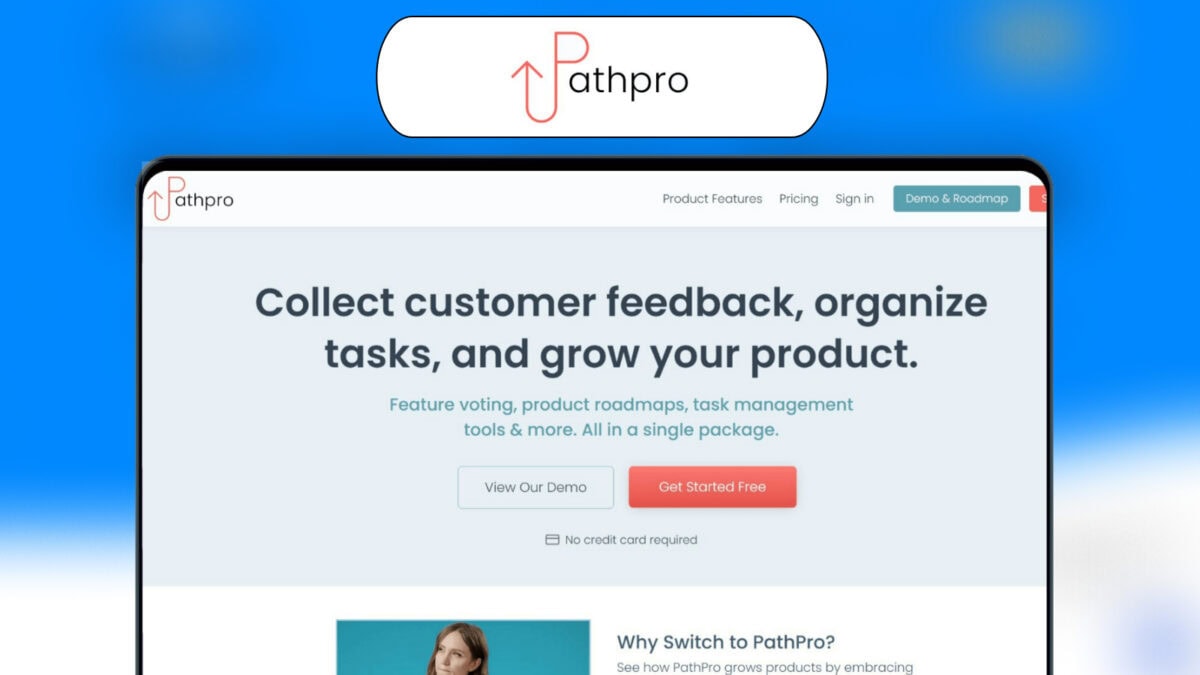
PathPro is a comprehensive tool designed to collect customer feedback, organize tasks, and facilitate product growth. It offers a unique blend of feature voting, product roadmaps, and task management tools, all in a single package.
- Feature Voting: Allows community members to upvote and validate proposed features and ideas.
- Product Roadmaps: Integrate public roadmaps into your site to keep your community informed.
- Task Management Tools: Organize and manage tasks efficiently within the platform.
- Interactive Release Notes: Communicate release details, showcase the development path, and credit contributors.
- Community Engagement: Capture and analyze community input, keep conversations ongoing, and build customer loyalty.
PathPro ensures that your development efforts are customer-driven, cost-efficient, and well-organized. It also helps in increasing customer loyalty by engaging with the community and crediting contributors.
The Importance Of Feature Prioritization In Project Management
Effective feature prioritization is vital in project management. It helps in making informed decisions about what to develop next. With PathPro, you can harness community feedback to guide your product development. This reduces guesswork and ensures that you are working on features that your users want.
Prioritizing features also helps in cost efficiency. By focusing on validated features, you eliminate unnecessary expenditures on unimportant aspects. This streamlined approach not only saves money but also accelerates the development process.
Moreover, feature prioritization enhances task organization. With PathPro’s task management tools, you can keep tasks and feedback well-organized. This leads to a more efficient workflow and better project outcomes.
Engage your community by keeping them informed through public roadmaps and interactive release notes. This continuous engagement builds customer loyalty and ensures that your product evolves in line with user expectations.
To explore more about PathPro and its features, visit the official website.
Key Features Of Pathpro

PathPro is an all-in-one tool designed to enhance your product development process. It offers a range of features to collect customer feedback, manage tasks, and create product roadmaps. Here are the key features that make PathPro a valuable asset for your team.
PathPro boasts a user-friendly interface that simplifies navigation and usage. The platform is designed with intuitive layouts, making it easy for users to find what they need quickly. The clean design ensures that even those unfamiliar with the software can use it efficiently.
PathPro provides advanced analytics and reporting tools. These features allow you to track and measure the impact of your product decisions. You can generate detailed reports on customer feedback, feature requests, and task progress. This data helps in making informed decisions and optimizing your product strategy.
With PathPro, you can create customizable prioritization frameworks that suit your specific needs. This feature lets you set criteria and weights for different tasks and features. You can prioritize based on customer feedback, business impact, or any other relevant factors.
PathPro includes a range of collaborative tools for team input. Teams can easily share ideas, vote on features, and provide feedback. These tools ensure that everyone is on the same page and contribute to a cohesive development process.
Additionally, PathPro facilitates effective communication among team members. It allows for real-time collaboration and keeps all stakeholders informed about the project’s progress.
| Feature | Benefit |
|---|---|
| User-Friendly Interface | Easy navigation and usage for all users |
| Advanced Analytics and Reporting | Informed decision-making with detailed insights |
| Customizable Prioritization Frameworks | Tailored prioritization based on specific criteria |
| Collaborative Tools for Team Input | Enhanced team communication and idea sharing |
User-friendly Interface
PathPro offers a user-friendly interface that caters to both beginners and experienced users. The platform is designed to ensure easy navigation and a quick learning curve, making it accessible for all.
Intuitive Design For Easy Navigation
The intuitive design of PathPro makes navigating the platform a breeze. Users can easily find and use the feature voting, product roadmaps, and task management tools. The layout is clean, and all features are clearly labeled.
PathPro employs a minimalistic design approach. This reduces clutter and helps users focus on important tasks. The intuitive design ensures that even those new to such tools can navigate without hassle.
Quick Learning Curve For New Users
New users will appreciate the quick learning curve of PathPro. The platform provides comprehensive guides and tutorials to help users get started. Within a short time, users can become proficient with the tool.
Interactive elements and user-friendly prompts guide new users through the initial setup. This makes the onboarding process smooth and efficient.
Key features like task management tools and interactive release notes are designed to be self-explanatory. This further shortens the learning time.
Advanced Analytics And Reporting
PathPro offers advanced analytics and reporting features that empower product teams. These features help in making informed decisions by providing detailed insights and saving time through automated reports.
In-depth Insights For Better Decision Making
PathPro provides in-depth insights into user feedback and task management. You can monitor feature voting trends and analyze community engagement. This data helps you understand which features are most important to your users.
The platform also offers detailed metrics on task completion and product roadmaps. These insights enable you to prioritize tasks effectively and allocate resources efficiently. By understanding user preferences and project progress, you can make better decisions.
| Feature | Benefit |
|---|---|
| Feature Voting Analytics | Identify top-voted features quickly |
| Task Management Metrics | Track task completion rates |
| Community Engagement Data | Measure user interaction |
Automated Reports To Save Time
PathPro’s automated reporting tools save you valuable time. Instead of manually compiling data, you can generate detailed reports with a few clicks. These reports include insights on feature voting, task management, and community feedback.
- Generate comprehensive reports effortlessly
- Save time on manual data compilation
- Access up-to-date information instantly
Automated reports ensure you always have the latest information. This allows you to focus on strategy and execution rather than data gathering. With PathPro, you can streamline your workflow and keep your team informed with minimal effort.
Customizable Prioritization Frameworks
PathPro offers Customizable Prioritization Frameworks that cater to your project’s unique needs. This flexibility ensures that you can adapt your approach as your project evolves, guaranteeing optimal results and community satisfaction.
Tailor-made Frameworks To Fit Your Project Needs
With PathPro, you can create tailor-made frameworks that align with your project’s specific requirements. This customization includes:
- Feature Voting: Empower your community to upvote and validate proposed features and ideas.
- Product Roadmaps: Seamlessly integrate public roadmaps into your site to keep your community informed.
- Task Management Tools: Organize and manage tasks efficiently within the platform.
These frameworks are designed to enhance community-driven development and ensure that every decision is backed by user feedback.
Flexibility To Adjust Priorities As Projects Evolve
Projects change over time, and PathPro understands this need for flexibility. With PathPro, you can adjust priorities as your project evolves, ensuring continuous alignment with user needs and market demands.
Key elements of this flexibility include:
- Interactive Release Notes: Communicate release details, showcase development paths, and credit contributors.
- Community Engagement: Capture and analyze community input, keep conversations ongoing, and build customer loyalty.
This ability to adapt ensures that your project remains relevant and responsive to user feedback, enhancing customer loyalty and satisfaction.
For more information on how PathPro can benefit your project, visit the PathPro website.
Collaborative Tools For Team Input
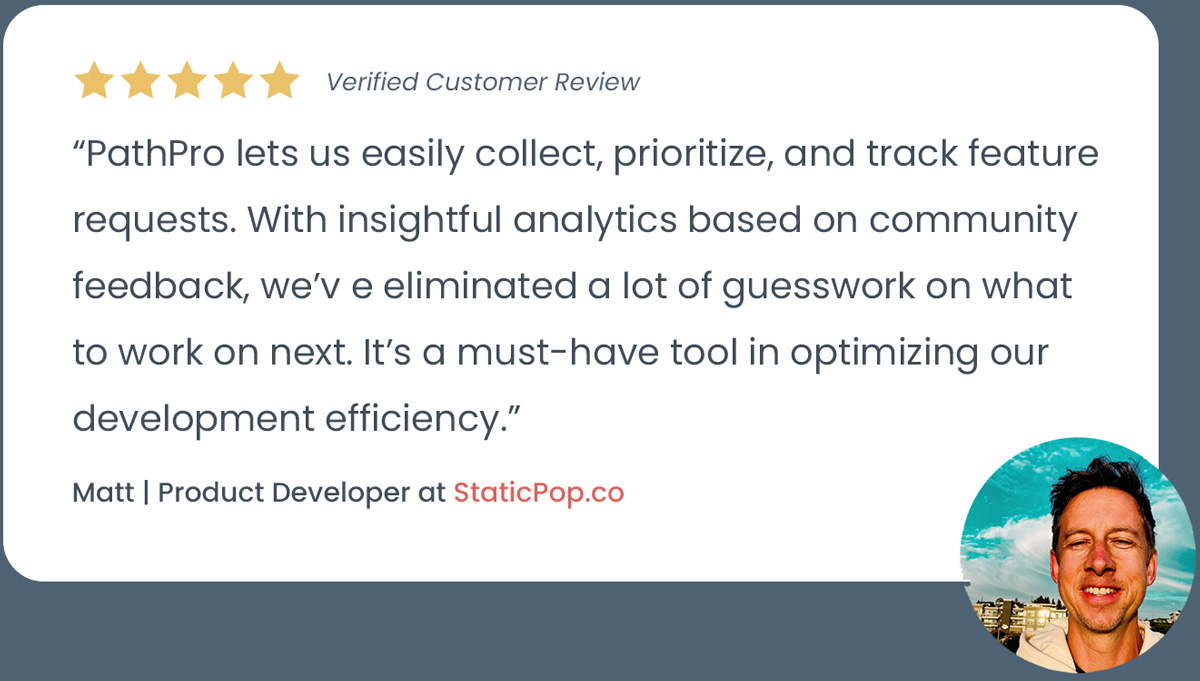
PathPro offers a range of collaborative tools that streamline team input and decision-making processes. By leveraging these tools, teams can efficiently gather feedback, communicate effectively, and reach a consensus on which features to prioritize. This ensures that the product development process is both inclusive and aligned with user needs.
Real-time Feedback From Team Members
The real-time feedback feature in PathPro allows team members to share their thoughts and suggestions instantly. This immediate feedback loop ensures that all voices are heard and considered promptly. It reduces the lag time between feedback collection and implementation, making the process more dynamic and responsive.
Teams can use a shared platform to post comments, vote on ideas, and discuss potential features. This collective input helps in making more informed decisions and fosters a culture of collaboration and transparency.
Enhanced Communication And Consensus Building
Effective communication is key to successful feature prioritization. PathPro’s tools enhance communication by providing a centralized place for discussions and updates. Team members can easily track the progress of ideas, view comments, and stay informed about the latest developments.
Building consensus is simpler with PathPro. The platform allows for structured discussions where team members can express their opinions and reach an agreement on the most critical features. By using voting and feedback mechanisms, the team can prioritize tasks that align with the overall product vision and user needs.
In summary, PathPro’s collaborative tools play a crucial role in gathering real-time feedback, enhancing communication, and building consensus within teams. These features ensure that the product development process is efficient, inclusive, and user-centric.
Pricing And Affordability
PathPro offers diverse pricing options to cater to various business needs. Whether you’re a startup or an established enterprise, PathPro ensures affordability without compromising on features.
Different Pricing Tiers For Various Needs
PathPro provides multiple pricing tiers to suit different user requirements. Here are the available options:
| Plan | Features | Price |
|---|---|---|
| Free Trial | Feature VotingProduct RoadmapsTask Management Tools | $0 |
| Basic Plan | Everything in Free TrialInteractive Release NotesCommunity Engagement | Contact for pricing |
| Premium Plan | All Basic Plan FeaturesAdvanced Task ManagementCustom Integrations | Contact for pricing |
Cost-benefit Analysis
Evaluating the cost versus benefit of PathPro is straightforward. The platform eliminates guesswork, ensuring you invest only in validated features.
Here’s a quick cost-benefit analysis:
- Cost Efficiency: Save money by avoiding unnecessary features.
- Increased Customer Loyalty: Engage customers and build loyalty.
- Enhanced Organization: Streamline task and feedback management.
PathPro’s pricing is justified by its ability to drive product growth. The integration of feature voting, product roadmaps, and task management within a single platform provides immense value.
For more details on specific pricing, visit the PathPro website or contact their support team.
Pros And Cons Of Pathpro
PathPro is a versatile tool for feature voting, product roadmaps, and task management. Understanding its strengths and limitations can help determine if it’s right for your needs.
Strengths And Advantages
- Community-Driven Development: PathPro allows users to harness feedback from their community, guiding product development based on real user needs.
- Cost Efficiency: By implementing validated features, PathPro helps eliminate guesswork and reduce development costs.
- Enhanced Organization: The platform keeps tasks and feedback well-organized, streamlining management processes.
- Increased Customer Loyalty: Engaging with the community, crediting contributors, and keeping users informed helps build strong customer loyalty.
- Interactive Release Notes: Communicate release details effectively, showcase development progress, and credit contributors within the platform.
Potential Drawbacks And Limitations
- Learning Curve: Some users may find the initial setup and learning phase challenging.
- Dependency on Community Feedback: The effectiveness of feature voting relies heavily on active community participation.
- Cost: While there is a free trial, ongoing use of advanced features might incur additional costs.
- Limited Customization: Some users may desire more customization options than what PathPro currently offers.
Specific Recommendations
PathPro offers a range of features designed to streamline product development and enhance community engagement. To get the most out of PathPro, follow these specific recommendations tailored for various scenarios and best practices.
Ideal Scenarios For Using Pathpro
PathPro excels in several key areas. Here are some ideal scenarios for utilizing its features:
- Feature Voting: Use this when you need direct feedback from your users on which features they value most. This helps prioritize development based on user demand.
- Product Roadmaps: Ideal for keeping your community informed about upcoming features and developments. Integrate roadmaps directly into your site for transparency.
- Task Management: Efficiently organize and manage tasks within your team. This is crucial for maintaining clear communication and streamlined workflows.
- Interactive Release Notes: Communicate release details effectively. Show your development progress and credit contributors to foster a sense of community.
- Community Engagement: Perfect for capturing and analyzing input from your user base. Keep conversations ongoing to build and maintain customer loyalty.
Best Practices For Maximizing Efficiency
To maximize efficiency when using PathPro, consider implementing the following best practices:
- Regularly Update Roadmaps: Keep your product roadmaps current to ensure your community is always informed about upcoming features and changes.
- Prioritize Based on Votes: Use feature voting data to guide your development priorities. Focus on features that have the highest user interest.
- Utilize Task Management Tools: Make full use of the task management tools to keep your team organized and on track. Break down tasks into manageable parts.
- Engage with Your Community: Actively engage with your users through feedback and discussions. This builds trust and loyalty.
- Credit Contributors: Acknowledge and credit users who contribute valuable feedback. This encourages more community involvement.
By following these recommendations, you can leverage PathPro’s full potential to enhance your product development process and foster a strong, engaged community.

Frequently Asked Questions
What Is Pathpro Feature Prioritization?
Pathpro Feature Prioritization is a method for ranking features based on their impact. It helps teams decide which features to develop first. This ensures resources are used efficiently and effectively.
Why Is Feature Prioritization Important?
Feature prioritization ensures that the most valuable features are developed first. It maximizes resource efficiency and improves product success. It aligns development with business goals and customer needs.
How Does Pathpro Prioritize Features?
Pathpro uses a scoring system to evaluate features. Criteria like user impact, cost, and strategic alignment are considered. This systematic approach helps in making objective decisions.
Who Should Be Involved In Feature Prioritization?
Product managers, developers, and stakeholders should be involved. Including diverse perspectives ensures that all aspects are considered. It leads to better decision-making and product outcomes.
Conclusion
PathPro simplifies feature prioritization and task management for product teams. Its comprehensive tools, like feature voting and product roadmaps, enhance community engagement. Organize tasks efficiently and communicate effectively with interactive release notes. PathPro helps build customer loyalty and guides product development through user feedback.
Start a free trial today to experience its benefits firsthand. Visit PathPro’s website to learn more.
