


Email has become an integral part of modern communication, weaving itself into every aspect of our personal and professional lives. But what does “email” actually mean? How does it work, where did it come from, and why is it so important in today’s digital world?
This article dives deep into the world of email, exploring its origin, functionality, and significance while answering the questions “what does email mean” and “what is email mean.” By the end, you’ll have a clear understanding of email’s role in shaping how we connect and communicate.
The Origin and Evolution of Email
The Birth of Email
Email, short for “electronic mail,” began in the early days of computer networking. The first email was sent in 1971 by computer engineer Ray Tomlinson, who also developed the use of the “@ symbol” to separate user names from computer addresses.
At the time, it was a groundbreaking innovation. Early emails were simple text messages sent between users on the same computer network. However, this revolutionary form of communication would soon evolve into something much more significant.
From Local Networks to the Internet
With the rise of the internet in the 1980s and 1990s, email exploded in popularity. Services like AOL, Hotmail, and Yahoo Mail introduced people around the world to the convenience of instant, digital communication.
Today, email is a universal tool used for everything from casual conversations to official business correspondence. Modern platforms like Gmail, Outlook, and Apple Mail have expanded its capabilities, offering features like integration with other apps, spam filtering, and large storage capacities.
Email Basics
What Is an Email Address?
An email address is your unique identifier in the digital world—essentially your mailing address for online communication. It typically consists of three parts:
- Username (e.g., john.doe): A personalized string of text chosen by the user.
- @” Domain Symbol (e.g., @): A separator that connects the username and domain.
- Domain (e.g., gmail.com): Your email provider or host.
For example, an address like `john.doe@gmail.com` tells the email system to send messages to the user “john.doe” hosted by “gmail.com.”
How to Create an Email Account
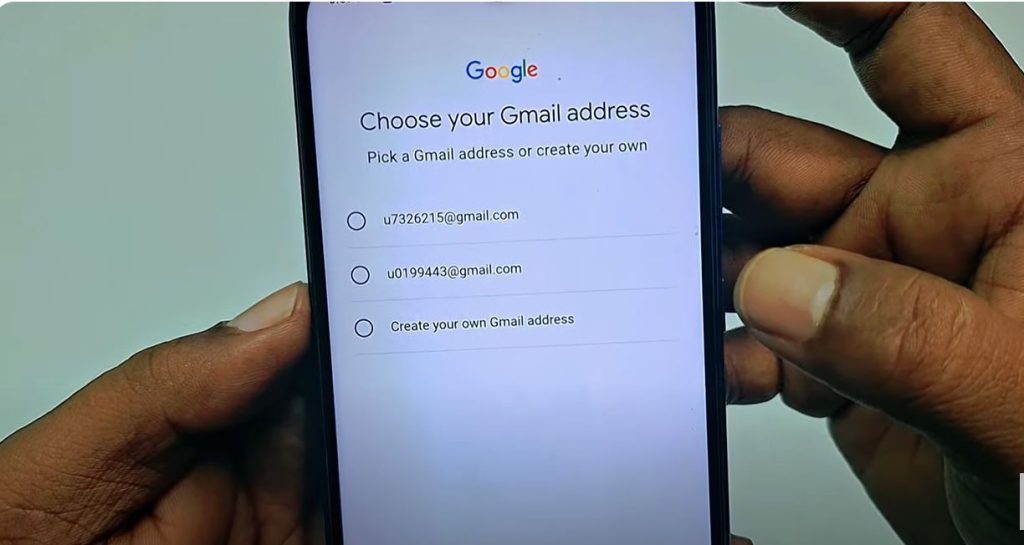
Creating an email account is simple and free. Here’s how:
- Choose an email provider (e.g., Gmail, Yahoo Mail, Outlook).
- Go to the provider’s “Sign Up” page.
- Enter personal details like your name, preferred username, and a secure password.
- Verify your identity using a mobile number or security question.
- Done! You now have an email address to start sending and receiving messages.
What Does Email Mean?
Email, or “electronic mail,” is a method of exchanging digital messages between users via the internet or computer networks. It is a modern-day communication tool that has revolutionized how we share information.
Uses of Email
Email is incredibly versatile and is used for various purposes in personal and professional settings.
- Personal Uses
- Staying in touch with family and friends.
- Sharing photos, videos, and updates.
- Receiving promotions, announcements, and newsletters.
- Professional Uses
- Sending and receiving work-related files.
- Scheduling meetings and appointments.
- Communicating with clients and colleagues.
Why Do Emails Matter?
Emails are invaluable because they are fast, reliable, and accessible anywhere. Whether you’re living in the U.S., the U.K., or Australia, emails allow you to connect with anyone in the world at the click of a button.
| How can I access email on mobile devices? | You can access email on mobile devices through native email apps provided by your operating system, or by downloading third-party email apps from app stores. |
| What does it mean if an email is marked as “spam”? | Emails marked as “spam” are often unsolicited messages that may contain advertisements or phishing attempts. Email providers use algorithms to filter these emails into a separate folder to protect users from unwanted content. |
| Is it possible to recall an email after it has been sent? | Some email platforms offer a recall feature, allowing you to retract a sent email within a certain timeframe. However, once the email is opened by the recipient, recalling might not be possible. |
| How can email help with organizing tasks? | Many email platforms integrate with task management tools, allowing users to create tasks directly from emails. You can also use features like labels, folders, and flags to categorize and prioritize emails, keeping your inbox organized. |
How Email Works
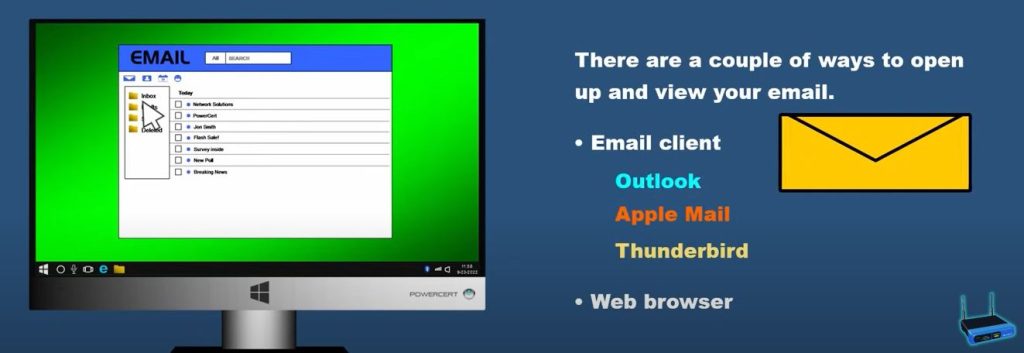
The Technical Process Behind Emails
Emails follow specific sequences and protocols to ensure they’re sent, received, and stored efficiently. Here’s a simplified explanation:
- Composing and Sending
A user types a message in their email application and hits “Send.”
- SMTP Protocol
The message is relayed through the Simple Mail Transfer Protocol (SMTP), which ensures the email reaches the correct destination server.
- Receiving and Storing
Once the email arrives at its destination server, the recipient’s email client retrieves it using either the POP3 or IMAP protocol.
- Reading the Email
The intended recipient opens their inbox and reads the email.
Understanding Email Servers and Protocols
- SMTP (Simple Mail Transfer Protocol): Ensures outgoing emails are sent securely.
- POP3 (Post Office Protocol): Downloads emails to a user’s device and removes them from the server.
- IMAP (Internet Message Access Protocol): Allows emails to be accessed and managed from multiple devices.
The Significance of Email
The Role of Email in Modern Communication
Email has changed how we stay connected, replacing traditional mail and even phone calls in some cases. It allows individuals and businesses to transmit critical information quickly and efficiently.
Today, email is a vital tool for various purposes:
- Communication: From chatting with friends to business negotiations, email enables instant, efficient communication.
- Organization: With built-in calendars, task lists, and reminders, email platforms help users stay organized.
- Marketing: Businesses use email to reach customers via newsletters, promotions, and other marketing campaigns.
Trends and the Future of Email
- AI Integration
Some email platforms now integrate artificial intelligence (AI) for a smoother experience. AI can automatically categorize emails, suggest replies, and flag critical messages.
- Encrypted Communication
With privacy concerns rising, encrypted email services like ProtonMail are becoming popular.
- Shortened Attention Spans
While email remains relevant, platforms like Slack and Microsoft Teams have emerged to address the need for instant, real-time communication in workplaces.
Rethinking Your Email Game
Email is more than just a communication tool—it’s a lifeline in today’s connected world. From its modest beginnings in 1971 to its modern-day integrations with AI, email continues to evolve and adapt to our needs.
Now that you know the answer to “what does email mean,” it’s time to revisit your inbox with new appreciation. Share this post with friends who may want to learn more about emails—or better yet, send them an email!
Differences between email and webmail
Regular email is like having a filing cabinet on your computer. You download all your mail and keep it there, so you can look at it even without the internet. You use a special program to organize it all, which can be really powerful, but you’ve got to set it up yourself.
Webmail, on the other hand, is like renting a mailbox at the post office. All your mail stays there, and you just go online to check it. You can access it from anywhere, which is super convenient, but you always need an internet connection. It’s usually pretty simple to use, too.
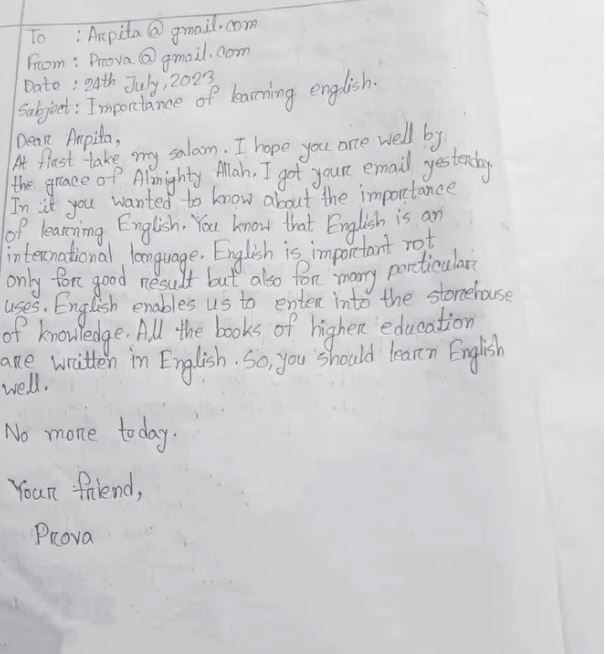
The main components of an email message
The Envelope (Header):
- This is where you write who it’s going to (“To:”), who it’s from (“From:”), and what it’s about (“Subject:”).
- It also has the date and time it was sent, like a postmark.
- And, if you want to copy other people in, you have “CC:” (so everyone knows they got a copy) and “BCC:” (so they get a copy, but nobody else knows).
The Letter Itself (Body):
- This is where you write your message. You can just type plain words, or you can make it look nicer with different fonts and colors, like writing on fancy paper.
- You can even add pictures or links to websites, like pasting photos or notes into your letter.
Advantages of Email
Emails have become a part of everyday life. People use them for all kinds of reasons, like work, school, or even just sending a funny picture to a friend. Here are some good things about using email.
It’s Fast
With email, you don’t have to wait days like old-fashioned mail. Your message gets to someone in seconds, even if they live far away.
It’s Simple
Sending an email is not hard. You just type your message, tap send, and that’s it. Even kids and grandparents can learn it easily.
It’s Free
Most email services like Gmail or Yahoo cost nothing. You can make an account and send as many emails as you want without paying.
You Can Use It Anywhere
You can check your email on a phone, tablet, or computer. Whether you are at home or waiting for a bus, you can always check your inbox.
It Helps You Save Things
Emails are easy to keep. If you need to find an old message, you can search for it anytime.
You Can Send Files
Need to share pictures, homework, or papers? You can attach them to an email and send them quickly.
Disadvantages of Email
Emails are helpful, but they are not perfect. Sometimes, they can cause little problems. Let’s look at a few.
Spam
You may get emails you don’t want. These are called spam. They fill your inbox with things you never asked for.
Needs Internet
No internet, no email. If your phone or computer is offline, you cannot send or read emails until you reconnect.
Sending to the Wrong Person
It’s easy to tap the wrong name and send a message to someone by mistake. This happens a lot, especially when you are in a hurry.
Safety Problems
Some emails have bad links or fake offers. You have to be careful not to click on things that look strange.
Hard to Show Feelings
Sometimes emails sound different from what you mean. Without hearing your voice or seeing your face, people might get the wrong idea.
Extra Stuff (Attachments):
- Sometimes, you need to send files along with your letter, like documents or photos. These are the attachments. It’s like putting extra papers or pictures inside the envelope.
Popular Email Services
There are many email services you can use today. Some are very popular because they are easy, free, and trusted by millions of people. Each one has its own special things that make it helpful. Let’s take a look at some of the most common ones you might hear about or already see on your phone or computer.
Gmail
Gmail is one of the most used email services in the world. It is made by Google. People like it because it is simple, fast, and works well with other Google apps like YouTube, Google Maps, and Google Drive. Gmail also helps block a lot of spam, so you don’t have to deal with too many junk emails.
Yahoo Mail
Yahoo Mail has been around for a long time. Many people still use it. It gives you lots of space for emails and lets you make folders to keep your emails organized. Yahoo Mail also has fun background themes you can pick to make your inbox look nice.
Outlook
Outlook is made by Microsoft. It is used by many businesses, schools, and people who like working with Microsoft Word, Excel, and PowerPoint. Outlook has tools that help you plan meetings, mark dates on a calendar, and keep your tasks organized.
iCloud Mail
iCloud Mail is from Apple. If you use an iPhone, iPad, or Mac, you probably have seen iCloud Mail. It is simple to use and works well with other Apple apps. It is great for people who already use Apple devices.
ProtonMail
ProtonMail is a little different. It is made for people who care a lot about privacy. ProtonMail keeps your emails locked and safe with strong security. It is simple but focuses more on protecting your information.
Zoho Mail
Zoho Mail is used mostly by small businesses and people who want extra tools like calendars, notes, and task lists. It has both free and paid plans depending on what you need.
How do I back up my emails?
You can back up your emails by using cloud storage services offered by your email provider or exporting emails to external storage devices. Email clients often have built-in features to help automate this process.
What is email phishing and how can I avoid it?
Email phishing is a fraudulent attempt to obtain sensitive information through deceptive emails. Avoid phishing by not clicking on suspicious links, verifying the sender’s email address, and using security software.
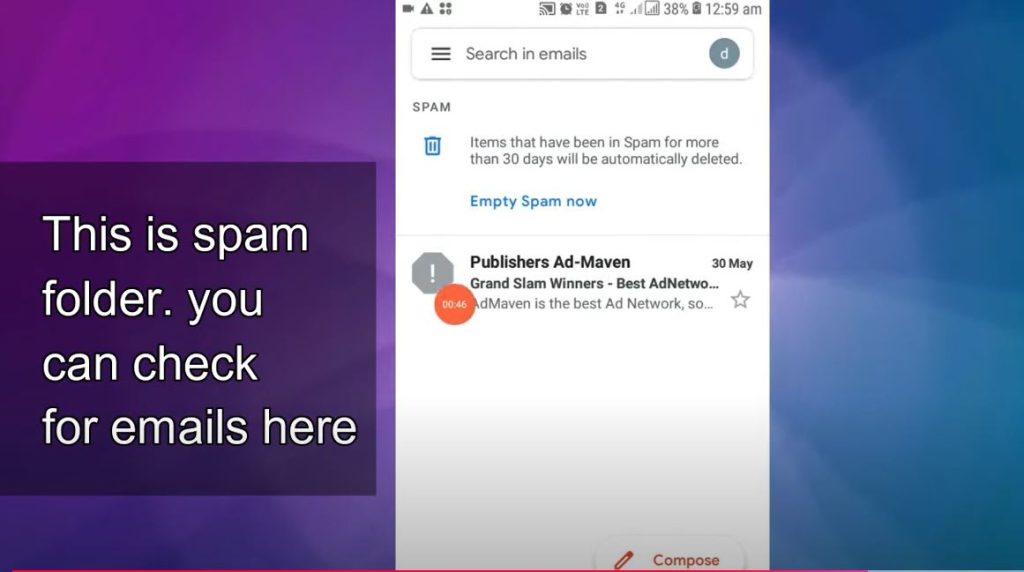
Why do some emails go to the junk folder?
Emails end up in the junk folder because they are identified as potential spam by the email provider. This can be due to questionable content, an unknown sender, or certain flags that trigger spam filters.
Can attachments be sent with email?
Yes, email supports sending attachments like documents, images, and other file types. However, there’s often a size limit, which varies by email provider.
What should I do if my email account is hacked?
If your email account is hacked, immediately change your password and security questions, inform your contacts, check for unauthorized settings changes, and consider enabling two-factor authentication to prevent future breaches.
By mastering the features and functions of email, you ensure that you stay at the forefront of effective communication. This guide aims to be a comprehensive resource, empowering you to navigate and leverage email successfully in any setting.
