

Email marketing remains crucial for businesses. It helps engage with customers directly.
But, with so many tools available, choosing the right one can be tough. Email marketing platforms offer various features, from automation to analytics. Each tool has strengths that cater to different needs. Understanding these tools can boost your marketing efforts.
In this blog, we’ll explore popular email marketing platforms. We’ll help you decide which one suits your business best. Stay tuned to discover the right tool for your email campaigns.
Introduction To Email Marketing Platforms
Email marketing platforms are essential tools for businesses today. They help in reaching out to customers efficiently. These platforms offer various features to streamline email campaigns. Choosing the right platform can enhance your marketing efforts.
Importance Of Email Marketing
Email marketing remains a powerful tool for businesses. It helps in building a direct connection with your audience. Here are some reasons why it is important:
- Cost-effective: Email marketing is cheaper than traditional methods.
- Personalized communication: Emails can be tailored to individual preferences.
- Measurable results: Track opens, clicks, and conversions easily.
- Customer engagement: Keep your audience informed and engaged.
Choosing The Right Platform
Finding the right email marketing platform can be challenging. Here are some factors to consider:
- Ease of use: The platform should be user-friendly.
- Features: Look for features like automation, templates, and analytics.
- Pricing: Choose a platform that fits your budget.
- Support: Good customer support is crucial.
- Integration: Ensure it integrates with your other tools.
Below is a table comparing popular email marketing platforms:
| Platform | Features | Pricing | Ease of Use |
|---|---|---|---|
| Mailchimp | Automation, Templates, Analytics | Free to $299/month | Easy |
| Constant Contact | Templates, Tracking, Social Media Integration | $20 to $95/month | Moderate |
| SendinBlue | Automation, SMS Marketing, Analytics | Free to $66/month | Easy |
Mailchimp
Are you using Mailchimp for your email marketing? Mailchimp is a popular email marketing platform. It provides a variety of features to help manage your email campaigns. This tool is great for businesses of all sizes.
Key Features
Mailchimp offers several features to improve your email marketing. Here are some key features:
- Drag-and-Drop Editor: Create beautiful emails easily. No coding skills required.
- Templates: Choose from a wide range of pre-designed templates.
- Analytics: Track the performance of your campaigns. Understand what works and what doesn’t.
- Audience Segmentation: Target specific groups within your email list.
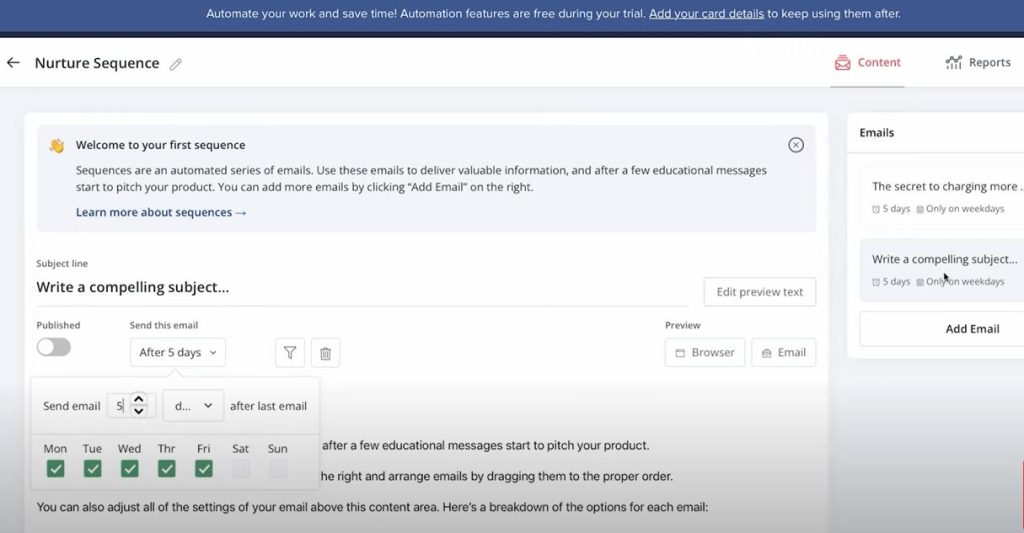
- Automation: Automate your email campaigns to save time.
Pros And Cons
Mailchimp has its advantages and disadvantages. Here is a quick look:
| Pros | Cons |
|---|---|
| Easy to use | Higher cost for larger lists |
| Good analytics | Limited customer support |
| Variety of templates | Can be slow at times |
| Automation features | Learning curve for advanced features |
Mailchimp is a strong choice for email marketing. Its features make it easy to create and manage campaigns. The pros often outweigh the cons, making it a reliable tool for many users.
Constant Contact
When it comes to email marketing platforms, Constant Contact stands out. It is known for its user-friendly interface and robust features. Small businesses and large enterprises alike can benefit from this powerful tool.
Key Features
Constant Contact offers several features that make email marketing a breeze:
- Email Templates: Choose from a wide range of customizable templates.
- Automation: Automate your email campaigns to save time.
- Contact Management: Easily manage your contact lists with segmentation.
- Analytics: Track the performance of your email campaigns with detailed reports.
- Social Media Integration: Connect your email campaigns with social media platforms.
Pros And Cons
| Pros | Cons |
|---|---|
| Easy to use for beginners. | Higher pricing compared to some competitors. |
| Excellent customer support. | Limited automation features for advanced users. |
| Wide range of templates and integrations. | Reporting features could be more detailed. |
| Reliable deliverability rates. | Template customization options are somewhat limited. |
Sendinblue
Sendinblue is an all-in-one email marketing platform. It helps businesses grow and engage with their audience. This tool offers email marketing, SMS campaigns, and customer relationship management (CRM) features.
Key Features
Sendinblue comes with many features that make email marketing easy.
- Email Campaigns: Create and send beautiful emails with their drag-and-drop editor.
- SMS Campaigns: Reach your audience through SMS messages.
- Marketing Automation: Automate your marketing tasks to save time.
- Transactional Emails: Send order confirmations, invoices, and other transactional emails.
- CRM: Manage your contacts and customer interactions in one place.
- Segmentation: Target specific groups of contacts with personalized messages.
- Analytics: Track the performance of your campaigns with detailed reports.
Pros And Cons
| Pros | Cons |
|---|---|
| Easy to useAffordable pricingComprehensive featuresGood customer support | Limited free planLearning curve for advanced featuresOccasional deliverability issues |
Sendinblue is a strong choice for email marketing. Its tools help businesses connect with their audience effectively.
Getresponse
GetResponse is a powerful email marketing platform that caters to businesses of all sizes. This tool offers a variety of features to help you create, send, and analyze your email campaigns. Whether you’re a small business owner or part of a large enterprise, GetResponse provides the tools needed for effective email marketing.
Key Features
GetResponse offers a wide range of features to enhance your email marketing efforts:
- Email Creator: Create stunning emails with a drag-and-drop editor.
- Autoresponders: Automate your email sequences with ease.
- Landing Pages: Design high-converting landing pages without coding skills.
- Webinars: Host webinars to engage your audience directly.
- Analytics: Track and analyze your campaign performance with detailed reports.
- Integrations: Connect GetResponse with various third-party tools.
Pros And Cons
| Pros | Cons |
|---|---|
| Easy-to-use interface.Comprehensive email templates.Robust automation features.Built-in webinar hosting.Advanced analytics and reporting. | Higher cost for premium plans.Learning curve for advanced features.Limited customization for some templates. |
Activecampaign
ActiveCampaign is a popular email marketing platform known for its robust automation features and user-friendly interface. It caters to businesses of all sizes, helping them create and manage effective email marketing campaigns. Let’s dive into the key features, pros, and cons of ActiveCampaign.
Key Features
- Email Automation: Create complex email sequences with ease.
- CRM Integration: Integrates seamlessly with your CRM for better customer management.
- Segmentation: Segment your audience based on behavior and preferences.
- A/B Testing: Test different email versions to optimize performance.
- Analytics: In-depth reporting and analytics for data-driven decisions.
Pros And Cons
| Pros | Cons |
|---|---|
| User-Friendly: Easy to navigate and use.Powerful Automation: Advanced automation capabilities.Excellent Support: Responsive and helpful customer support. | Pricing: Higher cost compared to some competitors.Learning Curve: Takes time to master all features.Limited Integrations: Fewer third-party integrations. |
Aweber
When discussing email marketing tools, AWeber stands out for its simplicity and effectiveness. It is a popular choice among small businesses and entrepreneurs. AWeber offers a user-friendly interface and a variety of features to help you create and manage email campaigns easily.
Key Features
AWeber is packed with numerous features designed to streamline your email marketing efforts.
- Drag-and-Drop Editor: Easily create emails with a simple drag-and-drop editor. No coding skills needed.
- Responsive Templates: Choose from a wide range of mobile-friendly email templates.
- Autoresponders: Automate your email campaigns with scheduled emails.
- List Management: Efficiently manage your subscriber lists with segmentation and tagging.
- Analytics: Track the performance of your campaigns with detailed reports and analytics.
- Integrations: Connect with various third-party apps like WordPress, Shopify, and more.
Pros And Cons
| Pros | Cons |
|---|---|
| User-Friendly: Intuitive interface suitable for beginners.Excellent Customer Support: 24/7 customer service via phone, chat, and email.Comprehensive Analytics: In-depth reports to monitor campaign performance.High Deliverability: Ensures your emails reach the inbox.Free Trial: 30-day free trial for new users. | Limited Automation: Basic automation compared to some competitors.Price: Higher cost for larger subscriber lists.Template Customization: Limited customization options for templates. |
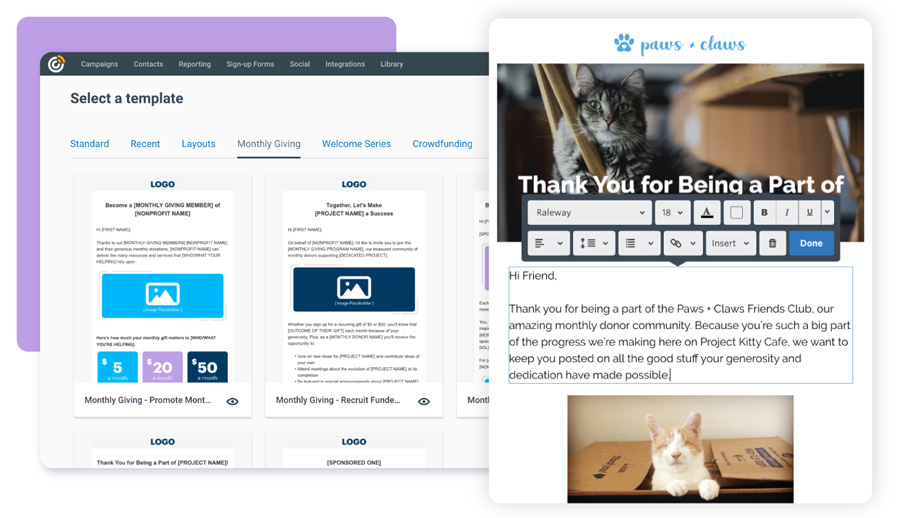
Credit: www.donorperfect.com
Convertkit
Are you exploring email marketing platforms for your business? ConvertKit is a popular choice among bloggers, creators, and small businesses. Known for its user-friendly interface and powerful features, ConvertKit helps you build and nurture your email list effectively.
Key Features
ConvertKit offers several features that make email marketing easier and more efficient:
- Visual Automation Builder: Create and manage automated email sequences with a drag-and-drop editor.
- Segmentation: Segment your audience based on their behavior and interests for targeted campaigns.
- Landing Pages: Build beautiful landing pages without any coding skills.
- Integrations: Connect with various tools like WordPress, Shopify, and more.
- Subscriber Tagging: Tag subscribers based on actions they take to personalize their experience.
Pros And Cons
| Pros | Cons |
|---|---|
| User-friendly interfacePowerful automation toolsGreat customer supportFlexible tagging system | Higher cost for larger listsLimited design options for emailsBasic reporting featuresNo phone support |
Benchmark Email
Benchmark Email is a powerful email marketing platform designed to help businesses of all sizes. It offers a wide range of features to create, send, and track email campaigns. Benchmark Email is known for its user-friendly interface and robust analytics. It helps users maximize their email marketing efforts with ease.
Key Features
- Drag-and-Drop Editor: Easily create professional emails without coding skills.
- Responsive Templates: Choose from various pre-designed templates that look great on any device.
- Automation: Set up automated email sequences for welcome messages, follow-ups, and more.
- List Management: Segment and manage your subscriber lists effectively.
- A/B Testing: Test different email versions to see which performs best.
- Analytics: Track your email performance with detailed reports and insights.
- Integrations: Connect Benchmark Email with other tools like CRM, social media, and e-commerce platforms.
Pros And Cons
| Pros | Cons |
|---|---|
| Easy to use interfaceComprehensive analyticsWide range of templatesStrong automation features | Limited customization optionsSome features require higher-tier plansOccasional deliverability issues |
Choosing The Best Platform
Choosing the right email marketing platform can be challenging. There are many options, each with unique features. It is crucial to select a tool that aligns with your business needs. Let’s explore how to choose the best platform.
Assessing Your Needs
Start by assessing your business needs. Consider the following:
- Budget: What is your budget for email marketing tools?
- Features: Do you need advanced features like automation or personalization?
- Integration: Does the platform integrate with your existing tools?
- Ease of Use: Is the platform easy to use for your team?
- Support: Does the platform offer customer support?
Create a list of your requirements. This will help you narrow down your options.
Comparing Popular Platforms
Compare popular platforms based on your needs. Here’s a table to help you:
| Platform | Key Features | Price | Ease of Use |
|---|---|---|---|
| Mailchimp | Automation, Templates, Analytics | Starts at $9.99/month | Easy |
| Constant Contact | Drag-and-Drop Editor, Surveys | Starts at $20/month | Moderate |
| SendinBlue | Transactional Emails, SMS Marketing | Free up to 300 emails/day | Easy |
| HubSpot | CRM Integration, Automation | Starts at $50/month | Moderate |
Final Thoughts
After comparing, choose the platform that best fits your requirements. Keep in mind your budget, needed features, and ease of use. The right platform can greatly enhance your email marketing efforts. Make a well-informed decision to ensure success.
Frequently Asked Questions
What Are Popular Email Marketing Platforms?
Popular email marketing platforms include Mailchimp, Constant Contact, SendinBlue, and ConvertKit. These tools offer various features for email campaigns. They help businesses manage their email marketing efforts efficiently.
Which Email Marketing Tool Is Best For Beginners?
Mailchimp is often recommended for beginners. It has an easy-to-use interface and offers a free plan. This makes it accessible for small businesses and startups.
Do Email Marketing Tools Offer Automation?
Yes, most email marketing tools offer automation features. These features help streamline email campaigns. They allow for scheduled sending, follow-ups, and personalized emails.
How Do Email Marketing Tools Track Performance?
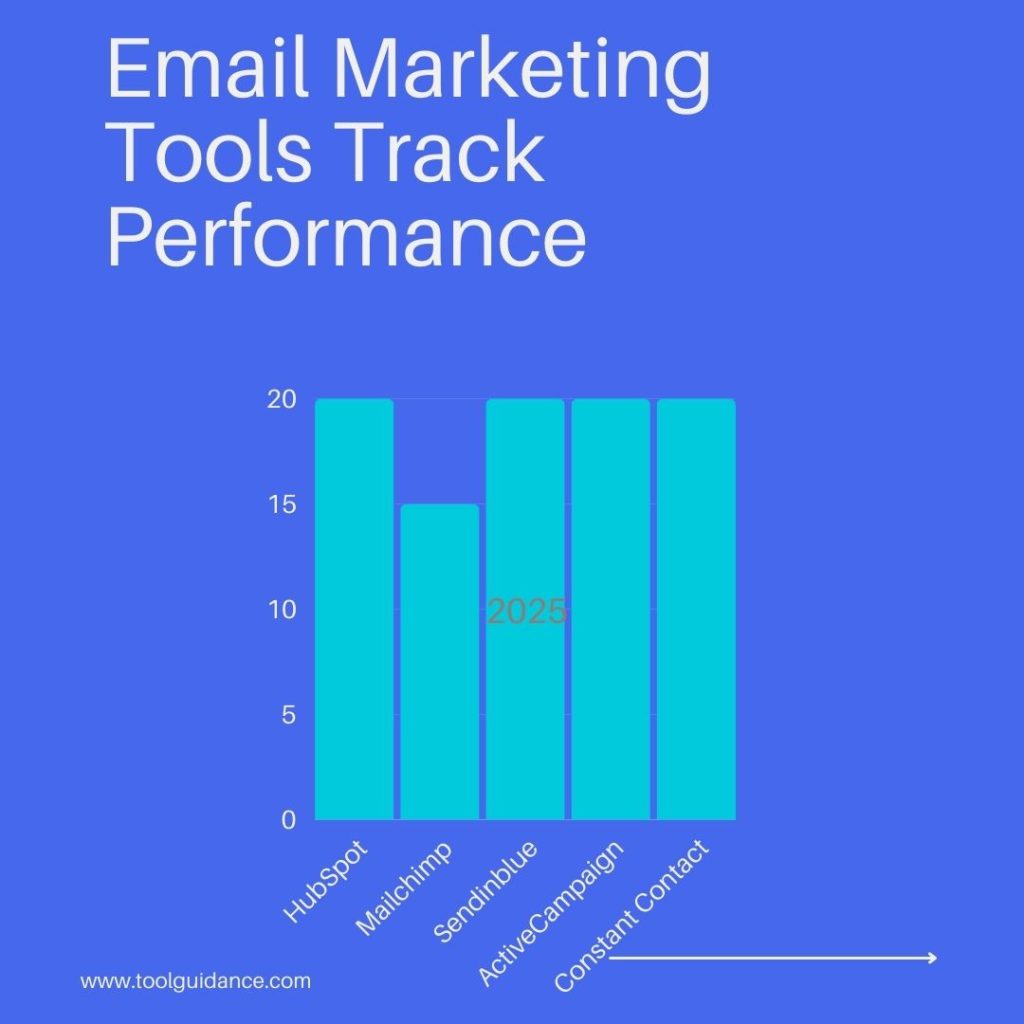
Email marketing tools track performance through analytics. They provide metrics like open rates, click-through rates, and conversions. This helps businesses measure the effectiveness of their campaigns.
Conclusion
Choosing the right email marketing tool is crucial for your success. Assess your needs carefully. Compare features, ease of use, and pricing. Look for strong customer support. Try free trials to find the best fit. Remember, the right tool can make your campaigns more effective.
Keep experimenting and optimizing your emails. Stay updated with new trends and features. This ensures your email marketing efforts stay fresh and effective. Happy emailing!
